Envelope budgeting
You decide what every dollar is for before you spend it, on iPhone, iPad and Mac. The board shows what is genuinely left — not what you meant to spend.
No subscription, no account, no bank login. Your budget stays on your own devices.
$39.99 — one purchase, not a subscription. Free for the first 14 days, with nothing withheld.

Money gets a job before it gets spent
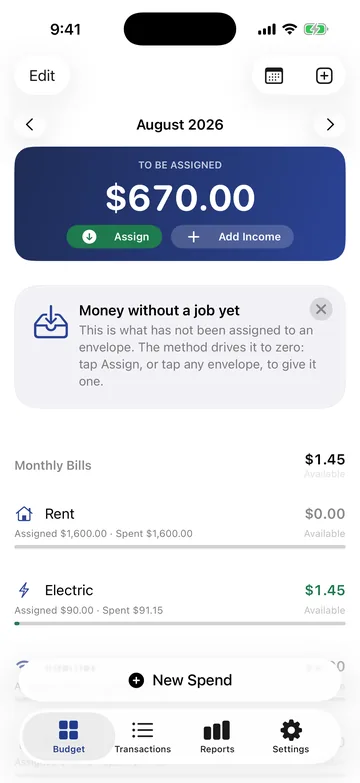
The board is the whole app in one screen: what is still unassigned at the top, and what is genuinely left in each envelope underneath.
Money arrives
It lands in To Be Assigned, and the board says plainly that it has no job yet.
You give it a job
Assign it across your envelopes until To Be Assigned reaches zero. Each envelope then shows what is left in it, not what you hoped to spend.
You spend it
The envelope falls by what you spent. Overspend one and Fundkeep says so plainly, then carries the rest forward the way the method expects.
Credit cards work the way the method needs them to: a card purchase moves money into that card's payment envelope, so it is set aside the moment you spend it rather than the moment the bill lands.
Bringing a budget with you
Coming from YNAB, or from anything else that exports: Fundkeep reads the export, rebuilds your categories, accounts and history, and then shows you a reconciliation report — what the other app said each balance was, what Fundkeep makes it, and every difference it found. You check the numbers before you commit to them.
Your bank's own CSV works the same way. Fundkeep works out the columns itself for the layouts the major US banks produce, shows you every row before anything is saved, and importing the same file twice duplicates nothing.
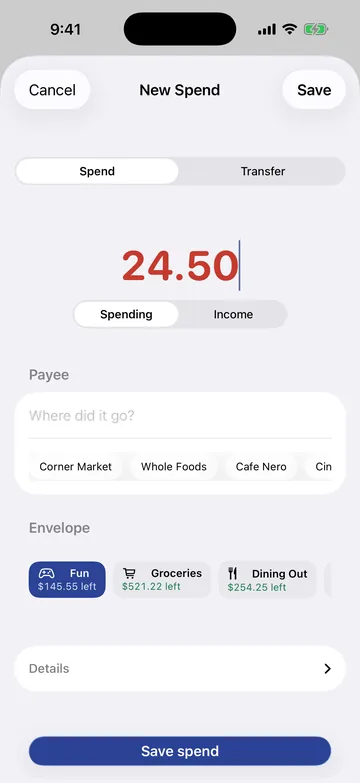
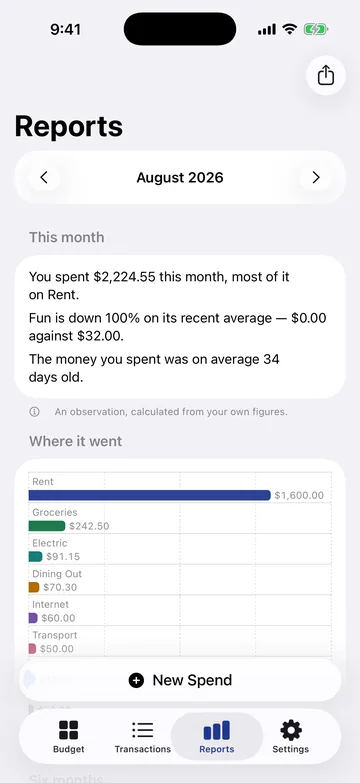
Two more screens
iPhone, iPad and Mac
One purchase covers all three. It needs iOS 26, iPadOS 26 or macOS 26 or later.
The Mac app is a real Mac app, with a menu bar and keyboard shortcuts, rather than a phone app in a window. Your devices stay in step through your own private iCloud, and you can switch that off.
No bank logins. No server. Nothing to leak.
Fundkeep never asks for a bank login, and that is deliberate rather than pending — there is no Plaid or equivalent in it. Transactions arrive two ways: you type them, or you pick a CSV you exported from your own bank, and it is read on the device.
There is no account, no analytics, no crash reporting and no third-party code of any kind. On the App Store that shows up as the Data Not Collected label. Everything exports to CSV whenever you want it, including after the trial ends — an app that held your own records hostage would not be worth trusting with them.
The full privacy policy sets out what is stored, what is sent and to whom.
$39.99, once
Free for 14 days with every feature working. After that the app becomes read-only until you buy it: what you entered stays visible, and exporting keeps working. Nothing renews, because there is nothing to renew.